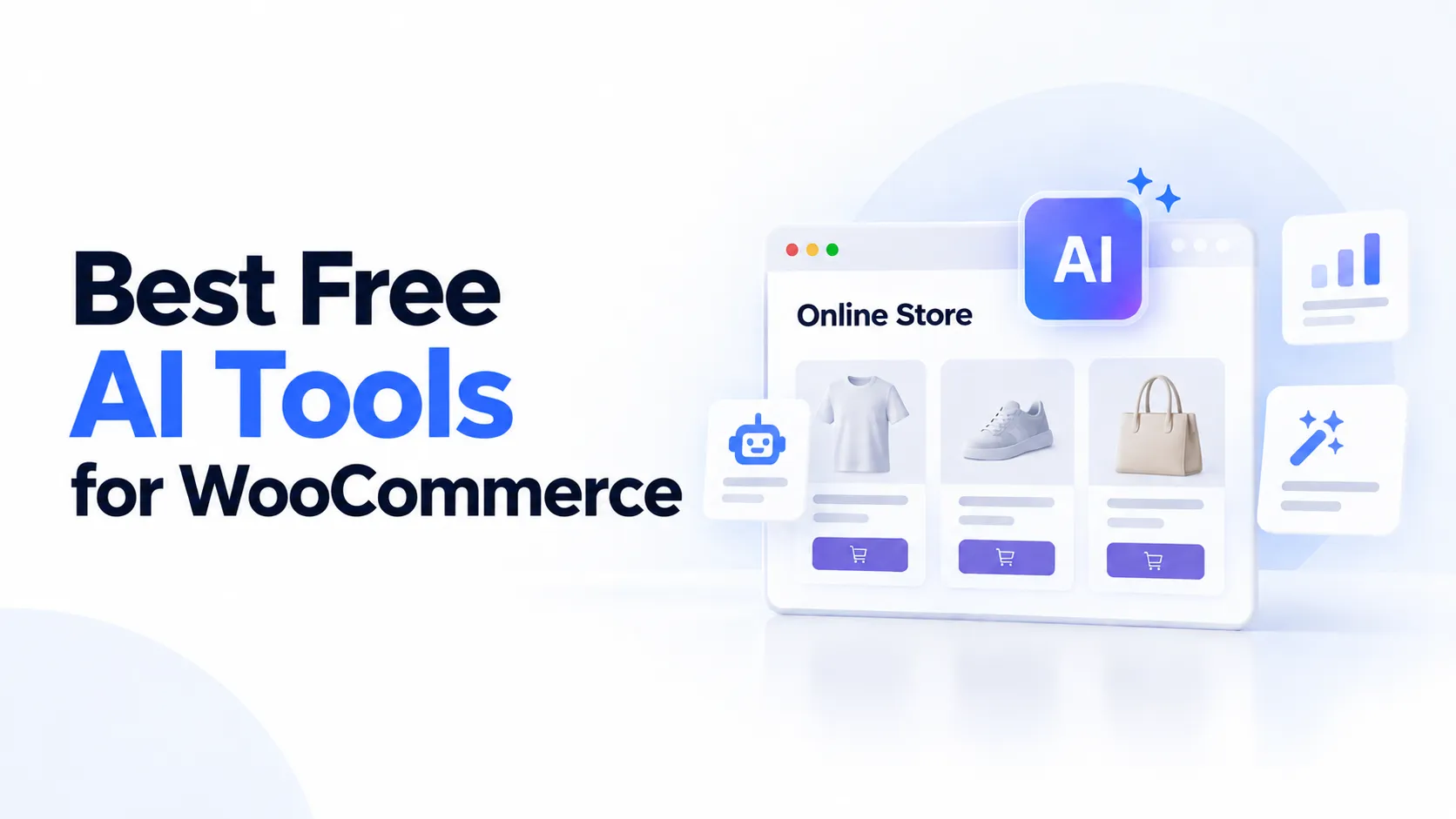
If you run a WooCommerce store in 2026, you’ve probably noticed something weird.
The platform itself is free. But the plugin stack around it? That’s a different story.
You start with one live chat tool. Then you need email marketing. Then an SEO plugin. Then a cart abandonment resolver. By month three, you’re juggling six different dashboards, paying $140 to $320 a month, and still missing the one feature that would actually move the needle.
I’ve been there. So has almost every WooCommerce store owner I talk to.
The good news? You don’t need to spend $500 a month on plugins anymore. In fact, you don’t need to spend much at all.
The AI tooling for WooCommerce has matured fast. What used to require five separate paid subscriptions now runs on three or four free tools, if you know where to look.
In this guide, I’m sharing seven free AI tools I’ve tested on live WooCommerce stores. No trials that expire after seven days. No freemium traps where the free tier is basically useless. These are real tools with real free tiers that handle the jobs most store owners pay monthly for.
Let’s get into it.
Why WooCommerce Store Owners Are Drowning in Plugin Costs
Before we talk about solutions, let’s talk about the problem.
A typical small WooCommerce store in 2026 runs somewhere between six and eight separate tools. Here’s what that usually looks like:
- Live chat plugin ($30–$50/month)
- Email marketing platform ($30–$80/month)
- SEO content generator ($40–$100/month)
- Automation builder ($20–$50/month)
- WhatsApp business tool ($20–$40/month)
That’s $140 to $320 a month before you’ve even paid for hosting or transaction fees. Over a year, you’re looking at $1,700 to $3,800 just on software subscriptions.
And that’s the visible cost. The hidden cost is worse. Every tool you add is a context switch. Every dashboard is somewhere your attention leaks. Every integration that breaks is a Friday afternoon you didn’t plan on losing.
This is what people in the WooCommerce space are now calling stack fatigue. It’s not a fringe problem. It’s practically a rite of passage for new store owners.
The shift that’s happened in the last couple of years is not just that AI got smarter. It’s that AI got organized. The old model was one AI feature bolted onto one tool. The new model is a coordinated team of AI agents, each owning a specific job, all sharing the same understanding of your business.
What that means for you: you can replace most of that stack with tools that cost nothing upfront.
__________________________________________________
What “Free” Actually Means for AI Tools
Not all free AI tools are equal. Before we dive in, I want to be honest about what you’re getting.
I’ve seen too many listicles call something “free” when it’s really a 7-day trial or a freemium tool with such limited features that you’d be better off paying. So here’s the honest breakdown:
Truly Free: No cost, no time limit, no credit card required. The tool works at this level indefinitely.
Freemium: Permanent free tier with real functionality. Paid upgrades are available but not required for basic use.
Limited Trial: Free for a set period or credit count, then paid only. These aren’t truly free, they’re sales demos.
Every tool on the list below is either truly free or freemium with a functional free tier. I’m calling out the honest limitations for each one so you know exactly what you’re signing up for.
7 Free AI Tools That Replace $500/Month in Plugins
AI Marketing Expert – Best All-in-One Free AI Plugin for WordPress
If you’re running a blog, small business, or client sites and paying separately for Mailchimp, an AI writer, an SEO tool, a chatbot, and Zapier, this is the plugin built specifically to replace all five.
AI Marketing Expert bundles six marketing modules into one WordPress plugin: email marketing, AI content generation, an SEO analyzer, a social media scheduler, an AI chatbot, and workflow automation. Instead of switching between tabs and tools all day, everything lives inside your WordPress admin.
What’s actually free (not just a trial)
- Email Marketing: Unlimited subscribers, 30 campaigns/month, 2 automation funnels, CSV/WooCommerce import
- AI Content Generator: 20 full articles/month, up to 2,000 words, with per-section SEO scoring
- SEO Analyzer: 10 keyword searches/month, 50-keyword vault, 5 on-page audits/month
- Social Media Scheduler: 2 connected accounts (Facebook, Instagram, X/Twitter), 30 posts/month
- AI Chatbot: 1 chatbot, 100 conversations/month, with lead capture built in
- Workflow Automation: 2 active workflows connecting all the above modules
Why it stands out
Most “free AI plugins” give you one trick, a chatbot, or a content generator, or an SEO checker. This one gives you a working version of all of them, and lets you plug in your own AI provider (OpenAI, Anthropic Claude, Google Gemini, or OpenRouter), so you’re not locked into one AI vendor’s pricing.
It’s also genuinely privacy-conscious: API keys are encrypted at rest with AES-256-GCM, and no subscriber or visitor data is ever shared with third parties.
What Users Like
- One dashboard for everything. No more logging into six different platforms.
- BYOK flexibility. Use whichever AI provider gives you the best rates.
- WooCommerce integration built in. Import customer data directly from your store.
- Genuinely usable free tier. 20 articles a month is enough for a small store running a blog.
- Privacy-first approach. Your data stays on your server.
- Frequent updates. The developer is actively improving the plugin (v1.2.2 as of this writing).
- Works for non-WooCommerce sites too. Flexible enough for blogs and lead gen sites.
What Can be Improved
- Newer plugin. With 800+ active installs, it doesn’t yet have the review volume of decade-old plugins like Jetpack.
- Free tier limits. 20 articles and 100 chat conversations per month will fill up fast if you’re running a high-traffic store.
- Interface could be smoother. Some users report the UI feels a bit cluttered compared to dedicated tools.
__________________________________________________
Tidio with Lyro AI – Best for Customer Support and WooCommerce Integration
Tidio is the mainstream support pick, with over 80,000 active WordPress installs and a 4.7/5 star rating from 396 reviews on WordPress.org. It’s one of the most widely adopted live chat solutions in the WordPress ecosystem.
Tidio’s AI component, called Lyro AI, claims a 70% auto-resolve rate for customer inquiries. For a store, the draw is deep WooCommerce integration: the bot can see products and orders and handle repetitive “where is my order?” questions without you lifting a finger.
What’s actually free
- 50 live chat conversations per month
- Basic chatbot flows (no AI, just decision trees)
- Visitor analytics
- Mobile app access
- Live chat widget
Why it stands out
Tidio combines live chat, chatbots, and AI-assisted automation into one easy-to-use interface that works seamlessly with WordPress and WooCommerce. The WooCommerce integration pulls in product and order data, and Lyro can answer product questions conversationally.
It’s also multilingual by default. The chat widget automatically follows your visitor’s browser language, which matters if you sell internationally.
What Users Like
- Deep WooCommerce integration. Product cards, cart view, and order history appear directly in the chat window.
- Lyro AI handles real questions. Not just scripted responses, the AI understands context and follows up naturally.
- Live agent handoff. When the AI can’t help, it escalates to a human without dropping conversation context.
- Free tier is functional. 50 conversations a month covers small stores or low-traffic periods.
- Multi-channel support. Chat, email, and social media in one inbox.
- Mobile app. Manage conversations on the go.
- 300,000+ websites use it. Well-established and regularly updated.
What Can be Improved
- Free plan is restrictive. 50 conversations a month is enough for a quiet store, but you’ll hit the ceiling fast on any active shop.
- Lyro AI costs extra. The base platform is free, but Lyro starts at around $29/month for 200 AI conversations. That’s not steep, but it’s not free.
- Per-seat pricing on paid tiers. If you have multiple team members, costs add up quickly.
- Heavier widget. The JavaScript footprint is larger than some alternatives, which can affect page load times.
__________________________________________________
StoreAgent – Best WooCommerce-Native AI Chatbot
StoreAgent isn’t just a chatbot. It’s built from the ground up specifically for WooCommerce stores, and it shows.
While general-purpose chatbots answer from your pages, StoreAgent answers from your catalog, product titles, descriptions, attributes, variations, live prices, stock levels, and reviews. That difference is the gap between a bot that deflects questions and one that helps close sales.
The free Lite plan gives you 50 AI chat replies per month, 25 AI tasks, and 1,000 memory items (the indexed products and pages the bot can draw on). No credit card required.
What’s actually free
- 50 AI chat replies per month
- 25 AI tasks per month (content generation, tag creation, etc.)
- 1,000 memory items (products and pages indexed for the bot)
- Multi-language support
- Product catalog auto-sync
Why it stands out
StoreAgent is one of the few free AI tools that doesn’t require you to bring your own API key. It handles the AI infrastructure for you. That’s a big deal, most “free” chatbots still expect you to pay OpenAI directly, which can rack up surprise charges the moment you exceed a tiny free tier.
It’s also a content generation engine. You can use it to create product descriptions, category descriptions, product tags, product summaries, review summaries, and image alt text. That covers two expensive plugin categories, chatbot and content generator, in one tool.
What Users Like
- No API key required. Set it up and start chatting in minutes, not hours.
- True WooCommerce native. Reads live inventory, prices, and variations, not just scraped pages.
- Dual purpose. Chatbot plus content generation in one plugin.
- Auto-syncs your catalog. Product changes update the bot automatically.
- Multi-language out of the box. Useful for international stores.
- 5-star rating on WordPress.org. Small install base but extremely positive reviews.
- Affordable upgrades. Paid plans start at $19/month, which is well below most competitors.
What Can be Improved
- Smaller install base. With 500+ active installs, it doesn’t have the community backup of plugins with 100,000+ installs.
- Free tier limits. 50 chats and 25 tasks per month is generous for a small store but will fill up fast.
- WooCommerce only. If you ever move to a different platform, you’d need a different solution.
- UI customization is limited. You can’t heavily brand the chat widget without upgrading.
__________________________________________________
WoowBot – Best Budget-Friendly WooCommerce Chatbot
WoowBot is the oldest native WooCommerce chatbot plugin on this list. It’s been around since 2017, has over 1,000 active installs on WordPress.org, and holds a 4.8-star rating across 19 reviews.
The free version does basic keyword-based product search. It’s not AI, it matches customer questions to product titles and descriptions using simple keyword logic. But it works, it’s free forever, and it covers the basics of product discovery in chat.
What’s actually free
- Unlimited keyword-based product search
- Add-to-cart from chat
- Product thumbnails in chat responses
- Basic FAQ responses
- No time limits or conversation caps
Why it stands out
If you want zero financial commitment to test whether a chatbot actually helps your store, WoowBot is the place to start. The free version won’t win any intelligence awards, but it handles the most common customer questions, “Do you have this in blue?” “What’s the price?” “Can I add this to my cart?”, without costing a cent.
The Pro version adds real AI (ChatGPT integration via your own API key) and starts at just $49/year. That’s cheaper than most competitors charge for a single month.
What Users Like
- Completely free forever. No conversation limits, no time limits, no credit card.
- Deep WooCommerce integration. Product thumbnails, add-to-cart, and order lookup work natively.
- Lightweight. Doesn’t slow down your site.
- One-time Pro purchase. $49/year is a fraction of monthly SaaS costs.
- Long track record. Eight years in the WooCommerce ecosystem means it’s battle-tested.
- Simple setup. Install, configure, and you’re live in under 10 minutes.
- Works with any theme. No theme compatibility issues reported.
What Can be Improved
- Free version isn’t AI. It’s keyword matching, which means it struggles with natural language questions like “something for my mom’s birthday under $50.”
- Dated interface. The admin panel feels like 2017. Functional but not pretty.
- No live agent handoff. When the bot can’t help, there’s no escalation path built in.
- Requires API key for AI features. The Pro version needs your own OpenAI or DialogFlow key, which adds complexity and cost.
- Small review base. Only 19 reviews on WordPress.org, so there’s less community feedback than larger plugins.
__________________________________________________
GetGenie – Best Free AI Content Writer for WooCommerce
GetGenie is built specifically for content marketers who care about ranking, not just writing. Its free plan gives you 2,500 words per month of AI-generated content, which might sound limited until you realize that’s enough for a solid product description, a category page, or a weekly blog post.
The killer feature for WooCommerce store owners is the built-in keyword research and SEO scoring. GetGenie doesn’t just write content, it tells you whether that content will actually rank.
What’s actually free
- 2,500 words per month of AI-generated content
- Keyword research tool with search volume and difficulty data
- SEO scoring for every piece of content
- WooCommerce product description generator
- Templates for product descriptions, blog posts, and meta descriptions
Why it stands out
Most AI writing tools are generic. They’ll write a product description, but they won’t optimize it for search. GetGenie bridges that gap. You get AI-generated copy that’s also SEO-optimized, right inside the WordPress editor.
The WooCommerce integration means you can generate product descriptions directly from your product page, no copying and pasting between tools.
What Users Like
- SEO-first approach. Every piece of content comes with an SEO score and optimization suggestions.
- WooCommerce-native. Generate product descriptions without leaving your product edit screen.
- Keyword research included. See search volume and difficulty before you write.
- Clean interface. Easy to navigate, even for non-technical users.
- Free tier is actually useful. 2,500 words a month covers small catalogs or regular blog posting.
- Multiple templates. Product descriptions, blog posts, meta descriptions, and more.
- Affordable upgrades. Pro starts at $19/month, which is reasonable for an all-in-one SEO content tool.
What Can be Improved
- Word limit on free tier. 2,500 words a month is fine for small stores but will fill up fast with a large catalog.
- No chatbot or support features. This is purely a content tool, you’ll still need a separate solution for customer support.
- Limited customization. You can’t heavily tweak the AI tone or style on the free plan.
- Newer plugin. Fewer reviews and a smaller community than established tools like Jetpack.
__________________________________________________
AI Engine – Best for Control and Flexibility
AI Engine by Jordy Meow is the power user’s pick, with over 100,000 active installations and a 4.9-out-of-5 rating across 858 reviews. It’s one of the most widely installed AI plugins in the entire WordPress repository, and it deserves the reputation.
AI Engine connects WordPress to OpenAI, Anthropic (Claude), Google (Gemini), Mistral, and more, then lets you build a chatbot on top. The free version gives you a fully functional AI chatbot with your own API key, no monthly fees, no conversation limits, just the raw power of AI on your site.
What’s actually free
- AI chatbot builder with drag-and-drop flow designer
- Multiple AI providers (OpenAI, Claude, Gemini, Mistral, and more)
- Blog content generation
- Product description generation
- AI image generation support
- Prompt playground for testing before deploying
- No conversation limits. Use as much as you want, you only pay for your API usage.
Why it stands out
AI Engine is the closest thing WordPress has to an “AI Swiss army knife.” It’s flexible enough to build almost anything AI-related without touching code. The free version is genuinely powerful, you’re not getting a watered-down demo, you’re getting the full plugin with AI features gated behind your own API key.
The Pro version ($59/year) adds advanced MCP tools that let AI agents manage WooCommerce products, orders, and stock directly from the dashboard. That’s enterprise-level functionality at a fraction of the cost of most competitors.
What Users Like
- Unmatched flexibility. Build custom AI workflows for any use case.
- BYOK model. Use whichever AI provider gives you the best rates.
- No conversation limits. Pay only for what you use via your API key.
- Massive install base. 100,000+ active installs means strong community support and frequent updates.
- Excellent documentation. The developer provides detailed guides for every feature.
- Admin-side power. Pro version lets AI manage products and orders directly.
- 4.9-star rating. One of the highest-rated AI plugins on WordPress.org.
What Can be Improved
- Requires API key. You need your own OpenAI or equivalent account, which adds setup complexity.
- API costs are real. While the plugin is free, your AI usage isn’t. Heavy chatbot use can add up.
- Steeper learning curve. The flexibility is powerful but overwhelming for beginners.
- No built-in WooCommerce chat widget. You’ll need to configure the frontend display yourself or pair it with a dedicated chat plugin.
__________________________________________________
Jetpack AI Assistant – Best for Basic Content and Site Management
Jetpack is one of the most installed WordPress plugins in history, and its AI Assistant is a natural addition. If you’re already running Jetpack for security, stats, and performance, adding the AI Assistant is a no-brainer, it’s already there, and the free tier is surprisingly capable.
The AI Assistant handles blog post drafting, page content generation, table creation, and tone adjustment. It also integrates with Jetpack’s existing tools, so you can write content and immediately publish it with SEO metadata and social sharing all configured.
What’s actually free
- AI content generation for posts, pages, and tables
- Tone adjustment (formal, casual, professional, etc.)
- Multi-language translation
- Integration with Jetpack’s SEO and social tools
- Unlimited usage within reasonable limits (no hard word count, but rate-limited)
Why it stands out
Jetpack AI Assistant is the easiest AI tool to set up on this list, especially if you’re already running Jetpack. There’s no separate plugin to install, no API keys to manage, no new dashboard to learn. It just works, right inside the WordPress editor.
The trade-off is that it’s more of a writing assistant than a dedicated AI tool. It won’t replace a full chatbot or a specialized SEO platform. But for store owners who want quick, decent-quality content without the overhead of another subscription, it’s hard to beat.
What Users Like
- Zero setup if you already use Jetpack. Just enable the feature and start writing.
- Built into the WordPress editor. No switching between tools.
- Good for drafts and outlines. Fast way to get content started, even if you edit it heavily afterward.
- Tone adjustment is useful. Switch between formal, casual, and professional with one click.
- Multi-language support. Translate content without leaving the editor.
- Trusted brand. Jetpack has been around since 2008, you’re not betting your site on a startup.
- Free tier is genuinely usable. No word count limits, just rate limits that rarely kick in for casual use.
What Can be Improved
- Not a dedicated AI tool. It’s a supplement, not a replacement for specialized plugins.
- Data privacy concerns. Content is sent to Jetpack’s servers for processing, which matters if you handle sensitive customer data.
- Limited WooCommerce integration. No product-specific AI features like description generation or catalog sync.
- Rate limits on heavy use. If you’re generating content all day, you’ll hit the limit and need to wait.
- Bloat if you only want AI. Jetpack is a massive plugin with dozens of features, you’ll install a lot you don’t need just to get the AI Assistant.
__________________________________________________
How to Build Your Free AI Stack
Now that you’ve seen the tools, here’s the practical part: how do you actually put this together?
The Zero-Cost Starter Stack
If you’re just getting started and want to test whether AI tools actually help your store, start with this combination:
- WoowBot (Free), Basic product search and FAQ handling. Zero cost, zero risk.
- Jetpack AI Assistant, Quick content drafts for product descriptions and blog posts. Already integrated if you use Jetpack.
- Google Search Console, Free SEO analytics. Not AI-powered, but essential for understanding what’s working.
This stack costs nothing and covers the three biggest pain points: customer questions, product content, and SEO visibility.
The Freemium Power Stack
If you’re ready to invest a little time (but not money), this combination gives you significantly more capability:
- AI Marketing Expert (Free), Email marketing, content generation, SEO analysis, chatbot, and automation, all in one plugin.
- Tidio (Free), Live chat with basic bot flows. Upgrade to Lyro AI when you hit the 50-conversation limit.
- GetGenie (Free), Dedicated SEO content writing with keyword research.
This stack replaces five or six separate tools and keeps you under $50/month once you upgrade the chat component.
The WooCommerce-Native Stack
If you want tools built specifically for WooCommerce rather than general-purpose WordPress plugins:
- StoreAgent (Free), WooCommerce-native AI chatbot plus content generation. No API key required.
- WoowBot (Free), Background product search and FAQ handling.
- AI Engine (Free), Advanced AI workflows if you want to build custom solutions.
This stack is the most focused on WooCommerce specifically, and StoreAgent’s free tier is generous enough to handle most small stores.
__________________________________________________
The Hidden Costs of “Free” AI Tools
I want to be transparent about something most listicles won’t tell you.
“Free” AI tools still have costs. They just aren’t always obvious.
API Key Costs
Most free AI plugins require you to bring your own API key. That means you’re paying OpenAI, Anthropic, or Google directly for usage. A busy WooCommerce store running a chatbot 24/7 could easily spend $20 to $50 a month on API costs alone.
The tools I’ve recommended above minimize this problem. StoreAgent and AI Marketing Expert include AI infrastructure in their free tiers, so you won’t get surprise bills. WoowBot’s free version doesn’t use AI at all, it’s pure keyword matching, so zero API costs.
Time Costs
Free tools often require more setup and management. AI Engine is incredibly powerful, but it takes time to configure properly. StoreAgent is easier to set up, but you’ll spend time training the bot on your product catalog.
Factor in at least 5 to 10 hours of setup time for each major tool. That’s time you’re not spending on product sourcing, marketing, or customer service.
Opportunity Costs
Every free tool you add is another thing to monitor, update, and troubleshoot. When an integration breaks on a Friday afternoon, you’re not saving money, you’re spending your weekend fixing it.
This is why I recommend starting small. Pick one tool, use it for 30 days, and only add another when you’ve mastered the first.
When to Upgrade from Free to Paid
Free tools are great for testing and for small stores. But there comes a point where upgrading makes sense. Here’s how to know:
Upgrade when your free tier limits are choking your growth
If you’re consistently hitting your conversation limits, word limits, or task limits, it’s time to pay. The revenue those tools generate will far exceed the subscription cost.
Upgrade when you need features that drive revenue
Lyro AI’s 70% auto-resolve rate isn’t a nice-to-have, it’s a direct revenue driver. If your chatbot is answering questions that would otherwise become support tickets or lost sales, the upgrade pays for itself.
Upgrade when the math works
A $29/month chatbot that recovers just two abandoned carts per month is a net positive. A $19/month content tool that helps you publish four extra product descriptions per week is worth it if those descriptions drive sales.
Do the math before you upgrade. If the tool doesn’t clearly pay for itself, keep using the free tier until it does.
__________________________________________________
Frequently Asked Questions
Do I need technical skills to use these free AI tools?
No. Every tool on this list is designed for non-technical users. WoowBot and StoreAgent are the easiest, install, click a few buttons, and you’re live. AI Engine is more powerful but requires more configuration. Jetpack AI Assistant is the simplest if you’re already using Jetpack.
Can I use these tools if I have a large product catalog?
Yes, but with caveats. StoreAgent’s free tier handles up to 1,000 memory items (products and pages). WoowBot has no limit but uses keyword matching, which can struggle with large, complex catalogs. For large catalogs, consider upgrading to StoreAgent’s paid plan or pairing WoowBot with a content tool like GetGenie.
Will these tools slow down my website?
Most have minimal impact. WoowBot and StoreAgent are lightweight. Tidio’s widget is heavier but still manageable. AI Engine can add load if you’re running complex workflows, but the free tier is light. Always test on a staging site first if you’re unsure.
Do I need to pay for AI API keys with any of these tools?
Only some. StoreAgent and AI Marketing Expert include AI infrastructure in their free tiers, no API key required. WoowBot’s free version uses keyword matching, not AI, so no API costs. Tidio, GetGenie, AI Engine, and Jetpack all require your own API key or paid add-on for full AI features.
Can I switch between these tools later?
Yes. None of these tools lock you in. You can start with WoowBot, graduate to StoreAgent, then move to Tidio when you need more features. Most offer export tools if you ever need to migrate your data.
__________________________________________________
Summing Up
You don’t need to spend $500 a month on WooCommerce plugins to compete in 2026.
The seven free tools I’ve covered here, AI Marketing Expert, Tidio, StoreAgent, WoowBot, GetGenie, AI Engine, and Jetpack AI Assistant, collectively handle customer support, content creation, SEO optimization, and automation. That’s what most store owners pay for with five or six separate subscriptions.
Start with one tool. Test it for 30 days. Add another only when you’re ready. And remember: the best AI stack is the one that actually gets used, not the one that looks impressive on paper.
Your store deserves better than stack fatigue. These tools prove it.