You’ve spent months building your app. You hit publish, refresh the dashboard a few times and then… nothing. No signups, no comments, not even a pity upvote.
If that sounds familiar, don’t worry. It’s the most common launch story in software. A good product doesn’t automatically find an audience. Distribution is a separate skill, and it starts with knowing where early adopters actually hang out.
The good news? You don’t need an ad budget. There are at least a dozen places where you can put your app in front of real people – for free or for the price of a lunch.
In this guide, I’ll walk you through eleven of them. For each one, I’ll cover what it costs, what the rules are and who it works best for. Details are as listed on the platforms’ own pages in late October 2026, and I’ve flagged anything I couldn’t confirm. Prices and rules change often, so treat this as a map, not a contract.
The One Rule That Matters Before You Launch Anywhere
Please don’t launch on all eleven in one day. Seriously.
Spread them over a few weeks. Each platform has its own audience, its own etiquette and its own way of making you look foolish if you get it wrong. A staggered launch lets you fix bugs and rewrite your pitch based on real feedback before the next audience sees it.
Set a realistic expectation too. Product Hunt is the best-known board, so it makes a good benchmark. A survey from MySignature of dozens of services that launched there found that 26.5% drew 500 to 1,000 users, 22.4% drew 1,000 to 2,000, and 24.5% drew just 100 to 500. About 16% of founders saw no registration spike at all, while 30% saw a significant increase.
The survey doesn’t give an exact sample size, so treat it as a rough picture. Still, it shows what a good launch looks like for most people: hundreds or low thousands of visits, not millions.
What Do the Numbers Say About Show HN and Product Hunt?
Before I go through the platforms, here are two data points that should adjust your expectations.
The first is about Hacker News. I used the public Hacker News search API to collect every Show HN story posted over a 90-day window ending October 20, 2026. That was 11,428 stories, or about 127 a day.
Most of them disappear quietly – and that’s the pattern to plan around. The median Show HN got 2 points and no comments. About 68% received at least one upvote beyond the author’s own. Only 8.3% reached 10 points, 5% reached 20, and 2.9% reached 50. Just 1.6% (183 posts) reached 100 or more, and 0.7% (78 posts) passed 200 points.
Comments tell a similar story. About 36% of posts got at least one comment, 8.3% got five or more, and 1.4% got fifty or more.
In plain terms, a Show HN is a lottery ticket. The odds of getting a handful of thoughtful comments are decent. The odds of a front page run are long. It’s worth doing for the feedback and the slim chance of a spike, but it should never be your whole launch.
The posts that do break through tend to share a few traits that match the platform’s own rules: a working thing people can try without signing up, a plain title and a founder who stays around to answer questions.
The second data point is about Product Hunt, and it comes from the MySignature survey above. Using the survey’s bands (26.5% of launches drew 500 to 1,000 users, 22.4% drew 1,000 to 2,000, 24.5% drew 100 to 500 and 10.2% drew 2,000 to 5,000), the middle launch sits in the 500 to 1,000 band.
If I give every band its midpoint and assume the unreported remainder (about 16%) drew fewer than 100 users, the average comes out near 1,000 visitors. So a typical Product Hunt launch in that survey brought somewhere between 500 and 1,000 people, and only a fraction of them signed up. The survey doesn’t report conversion, so plan on a small percentage and measure your own.
The 11 Places
1. Product Hunt
The obvious one, and I’d still do it once your product is polished. Launching is free.
According to Product Hunt’s own launch guide, the recommended time to go live is 12:01 a.m. Pacific Time. Company accounts are prohibited, and you can’t ask people directly to upvote. You can ask them to visit and comment instead. Accounts that break the community guidelines can be flagged as spam.
Best for: consumer-friendly apps, SaaS tools and anything with a good visual story. Just resist the temptation to chase upvotes – rank doesn’t reliably predict revenue.
2. Show HN on Hacker News
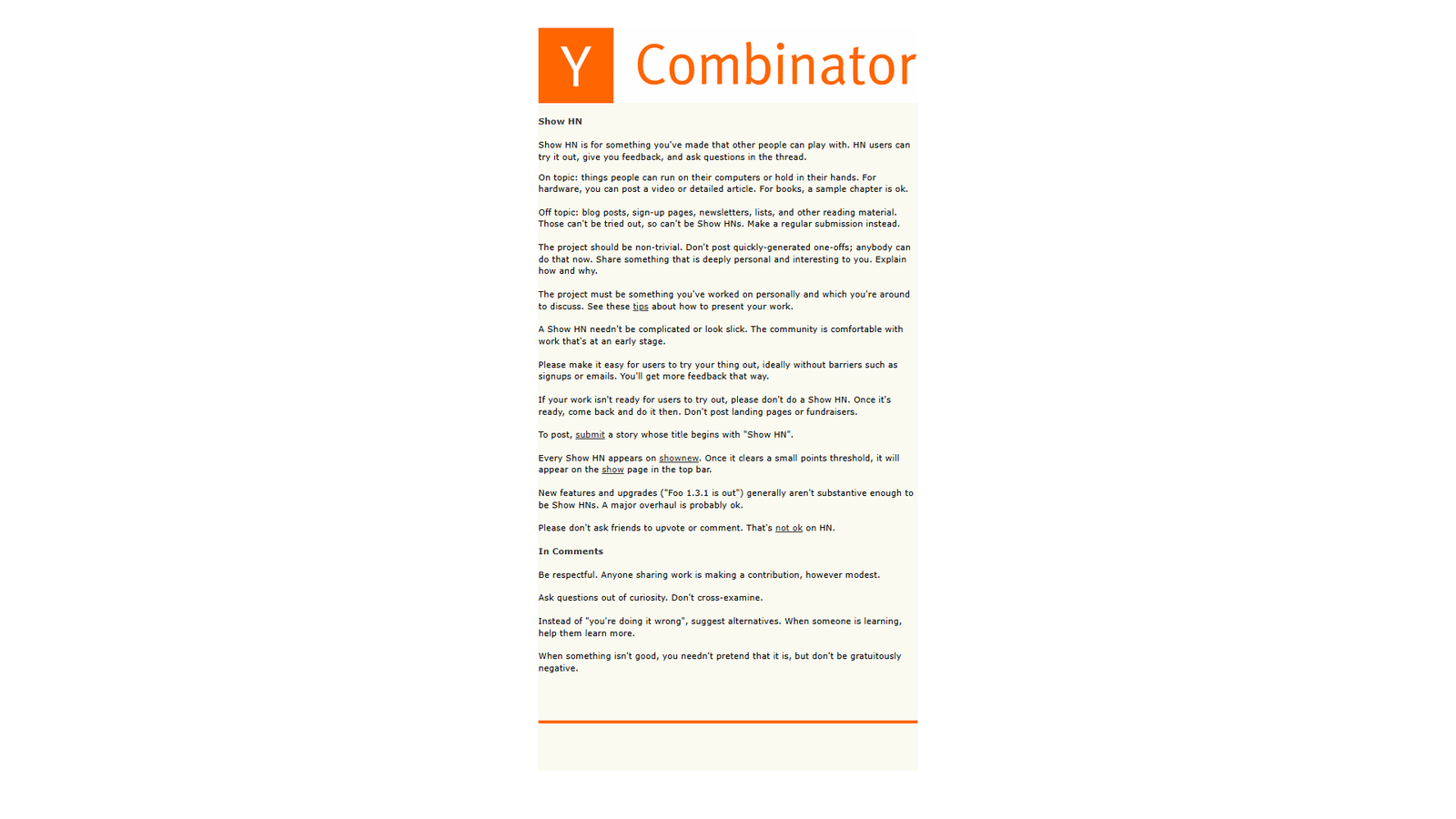
If your product is technical, I’d argue Show HN is the highest-leverage free launch on the internet, and the most unforgiving.
The official Show HN rules say projects must be non-trivial and built by you, and you should be around to discuss them. Blog posts, landing pages, sign-up pages and fundraisers don’t qualify. Make it easy to try – ideally without a sign-up or email requirement. Don’t ask friends to upvote or comment. Titles must start with “Show HN.”
Best for: developer tools, open-source projects and technically interesting products. Avoid posting a landing page with a waitlist. Founders who do often report silence, while a working demo gets traction.
3. The WordPress.org Plugin Directory
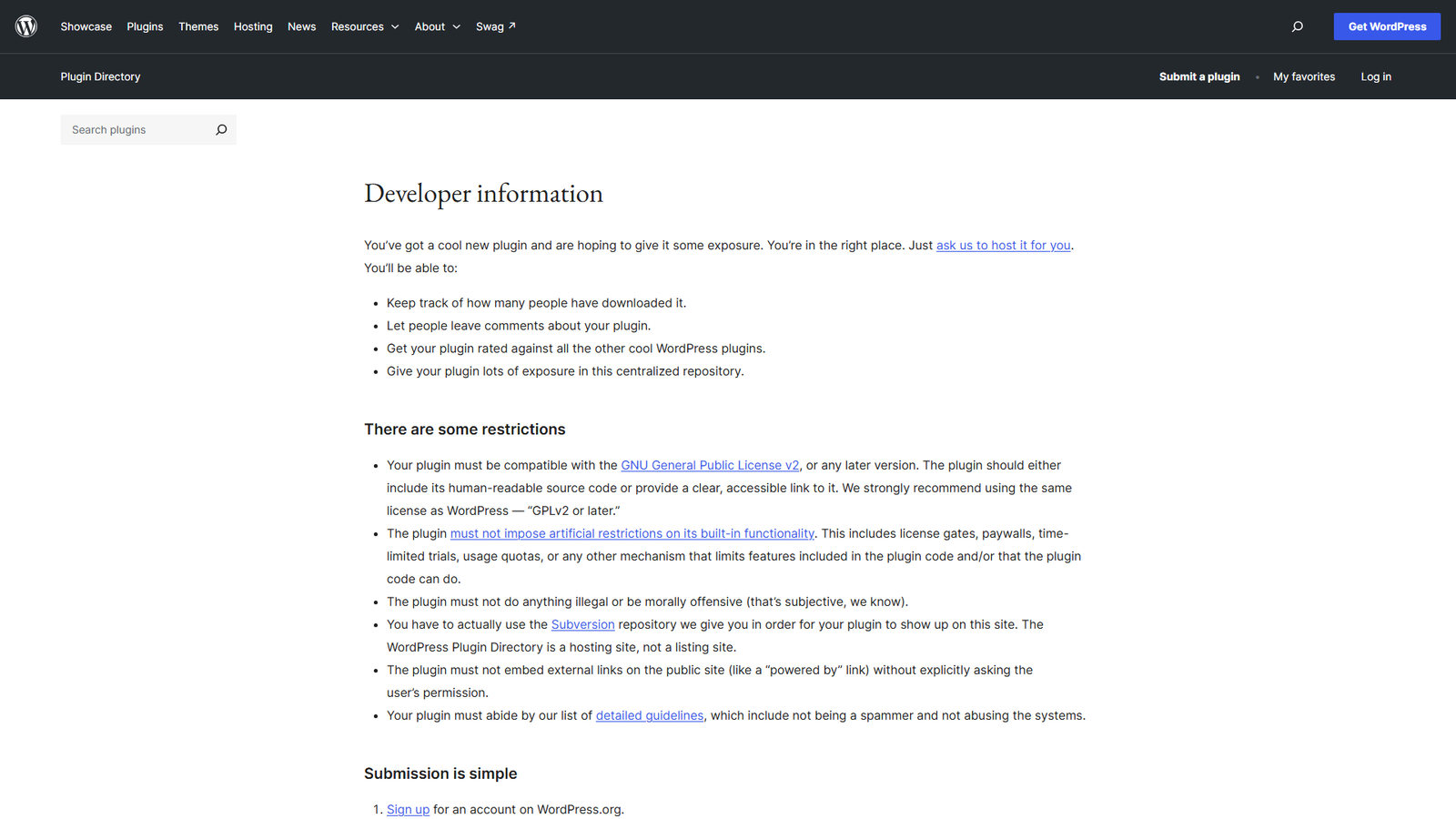
For plugin makers, this is the biggest free distribution channel there is, and it costs nothing.
You create a WordPress.org account, submit your plugin through the developer form, and wait for a manual review. If approved, you get a Subversion repository to upload your code and readme.
The rules matter here. The plugin must be GPL v2 or later compatible, include human-readable source, and can’t impose artificial limits on built-in features such as license gates or time-limited trials. It also needs a properly formatted readme.txt.
Best for: WordPress plugin and theme developers. If you plan a freemium model, design it around the “no locked features” rule before you set pricing.
4. The Shopify App Store
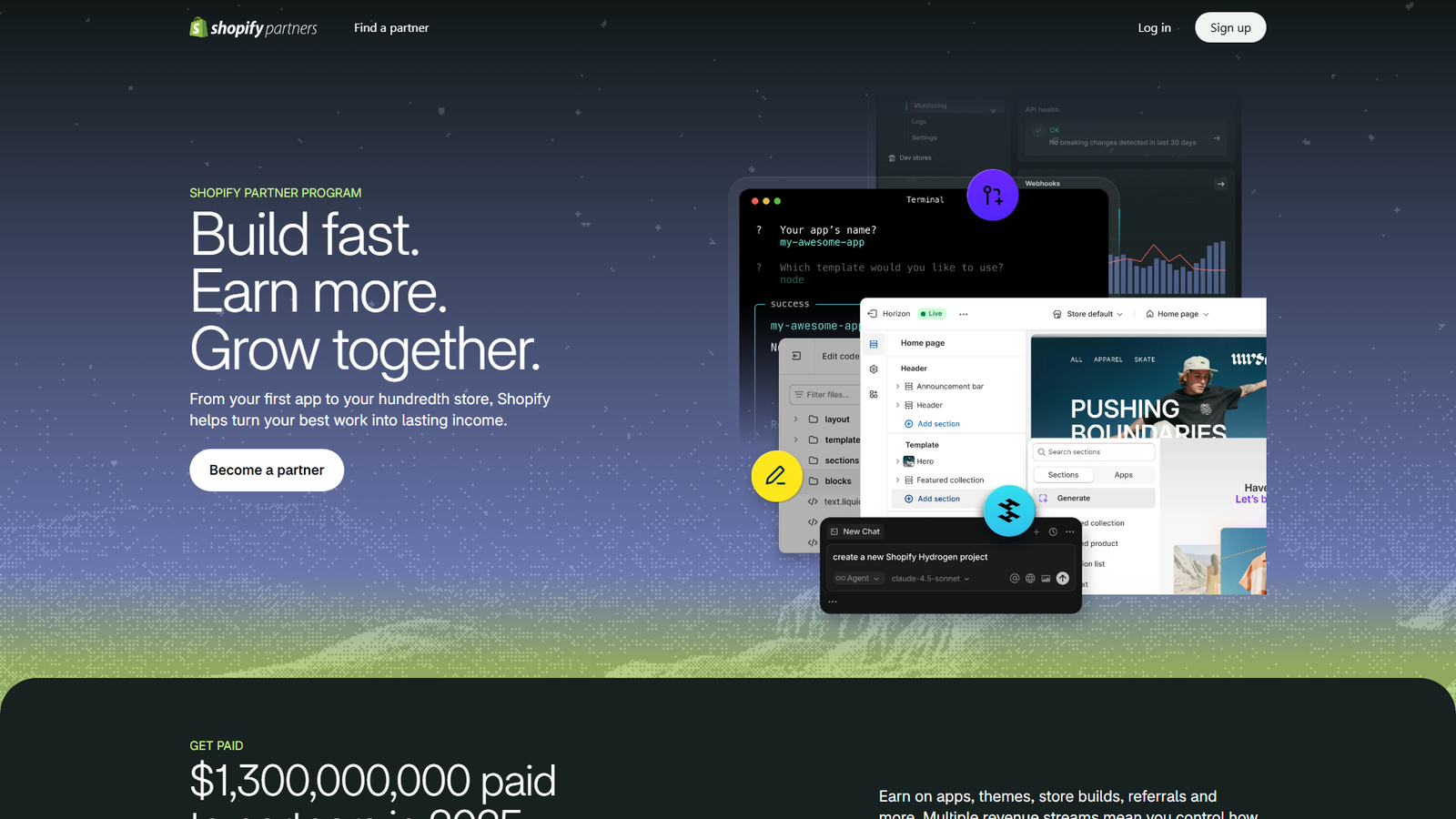
For ecommerce app makers, Shopify’s directory puts you in front of merchants who are already shopping for solutions.
Shopify’s revenue share documentation says developers keep 100% of their first $1,000,000 in gross app revenue earned from January 1, 2025, and 85% above that, with a 2.9% processing fee on billing. The same docs put the registration cost for the revenue share plan at a one-time $19 USD per Partner account. Check the Partner Dashboard for the live terms before you rely on any of this.
Best for: Shopify app makers. Plan for the review – Shopify only reviews production-ready apps and rejects incomplete ones with blocking errors.
5. AlternativeTo
AlternativeTo is a free, crowd-sourced site for finding software alternatives. Its homepage currently shows about 159,774 apps, ranked by roughly 2.06 million user opinions.
People arrive searching for “alternative to X,” which is exactly the intent you want. You can sign up and suggest your app, positioning it as an alternative to a well-known tool.
Be accurate – and I can’t stress that enough. Misleading comparisons get corrected by the community.
Best for: any product that competes with an established tool. Describe how you’re different, not how you’re “better than everything.”
6. G2 and Capterra
Review sites matter because buyers use them.
Third-party guides say both G2 and Capterra offer free vendor profiles, and that free profiles don’t carry a link to your website. Confirm the details on their vendor pages. Approval can take several business days.
Best for: B2B SaaS where buyers compare tools before booking a demo. To me, an empty profile looks worse than no listing at all, so ask happy early customers to leave reviews.
7. Peerlist Launchpad
Peerlist runs a weekly launch board for builders.
A third-party guide says launching is free as of October 2026, with a paid featured option starting at $29. According to the Peerlist help center, projects launch from personal profiles and compete for a weekly top three. Winners earn a badge and a feature in Peerlist’s emails and social channels. Sources disagree on whether those features are weekly or monthly, so check the help pages.
Best for: indie makers and developers looking for a friendly crowd. Guides say the project should be complete, not a waitlist or early beta.
8. Uneed
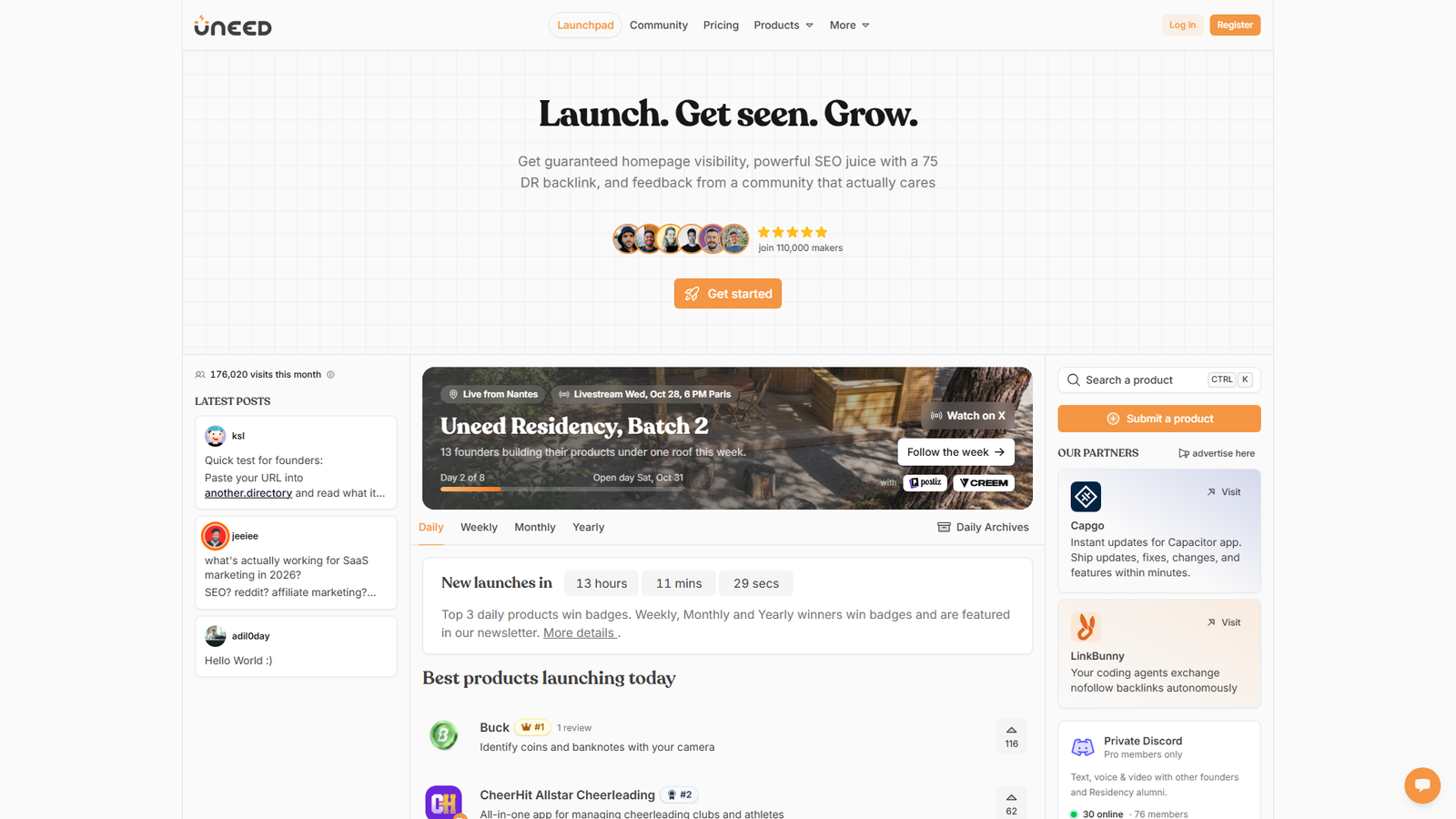
Uneed lets you launch for free by joining the line. Your date is assigned at the back of the queue. To stay published, you need an upvote score of 10 on launch day, or 20 to keep the do-follow backlink.
If you don’t want to wait, the Fast-track option costs $14.99 and assigns a slot in about 14 days. Skip the line costs $39.99 and lets you choose the date. A relaunch costs $15. These are the prices on the Uneed pricing page.
Best for: a cheap, quick boost plus a backlink. Don’t treat it as a traffic source, because it’s mostly a visibility and backlink play.
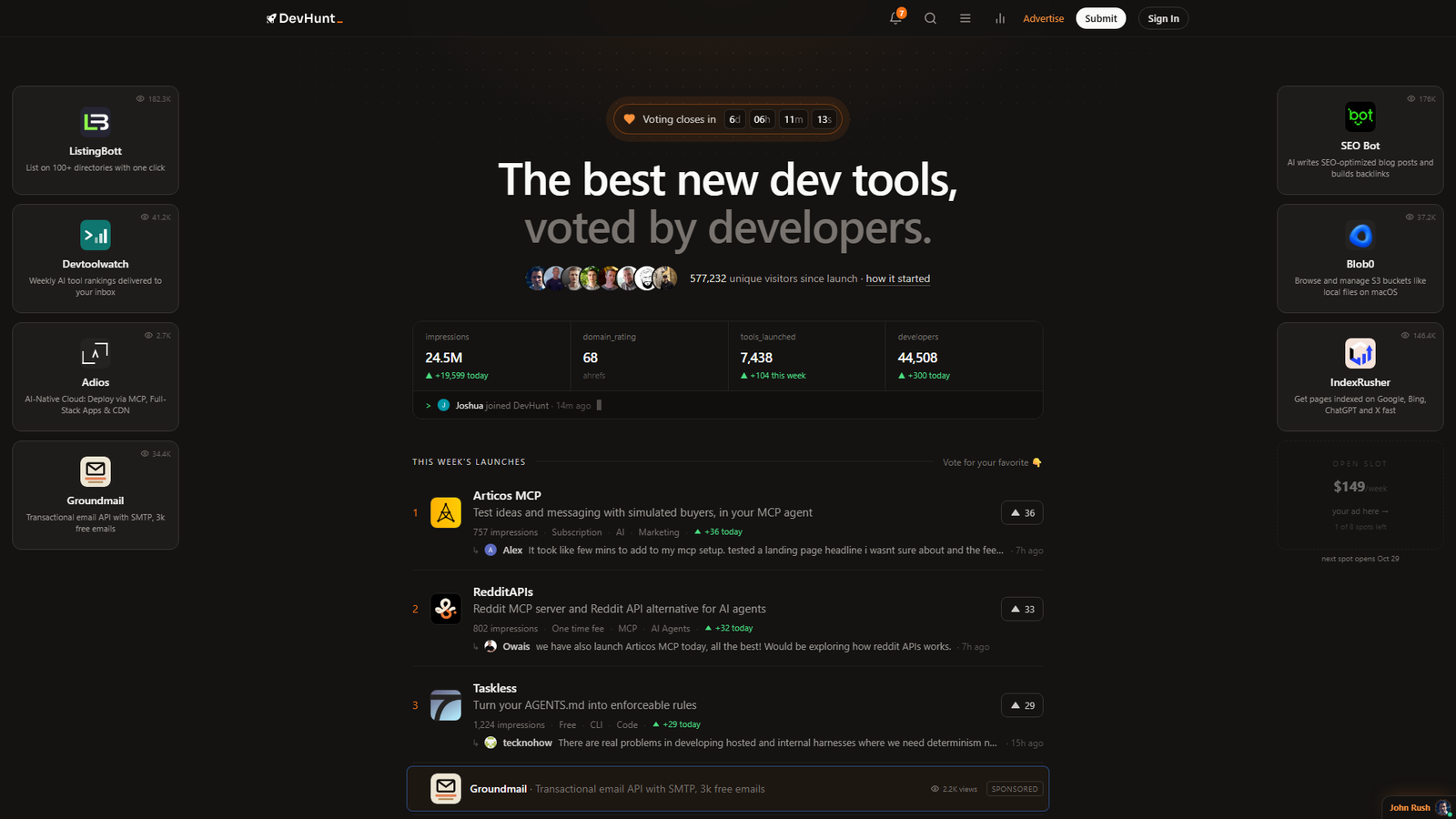
9. DevHunt
DevHunt is a directory of new developer tools, ranked by developer votes in weekly launch lists. The site shows banner ads at $149 a week and inline spots at $89 a week. It doesn’t say what submitting costs on its homepage, so check the FAQ. Launches that aren’t aimed at developers appear in a separate section outside the vote.
Best for: APIs, CLIs, SDKs and anything developers use directly. If developers won’t use it, skip this one.
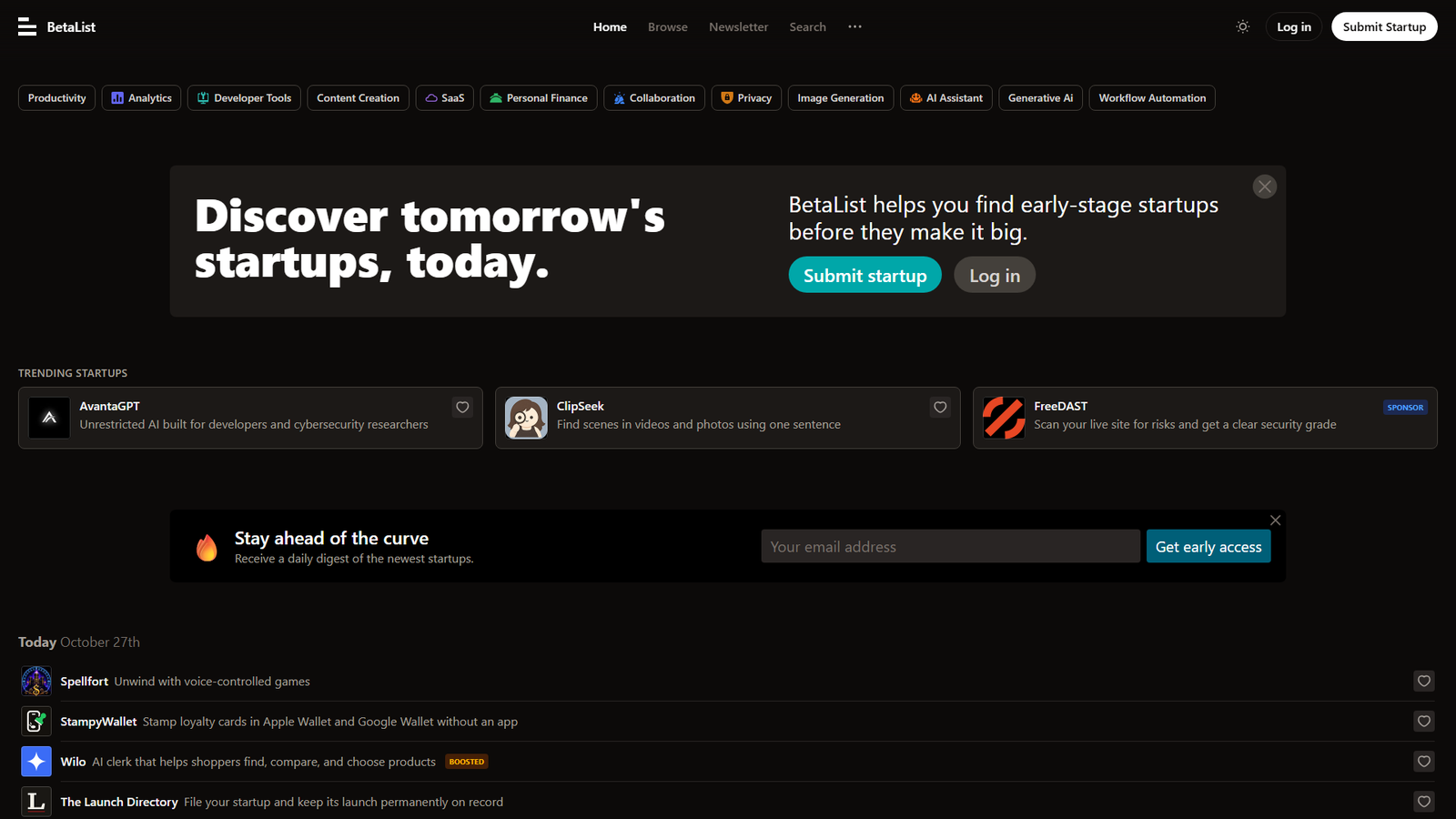
10. BetaList
BetaList helps people find early-stage startups before they make it big, and it sends a daily digest to subscribers.
The submission page asks for your URL and email (or lets you paste a prompt into a coding agent). Then it has you pick a plan before anything is published. Check the plans for a free tier before you start.
Best for: pre-launch products collecting early users. Use it before you launch, not after.
11. Reddit Communities
Reddit can send real traffic, and it can also get you banned.
Practitioner guides consistently recommend a participation-first approach, often described as 90% helpful contributions and 10% promotion. Read each subreddit’s rules before posting anything. Some communities have dedicated self-promotion threads. I’d disclose that you made the product, and I’d never post a bare “check out my app” link.
Best for: products with a clear niche audience that already discusses the problem. Link-drops from a brand new account are removed fast.
Quick Comparison
Here’s the whole list on one screen. Costs are as listed on each platform’s pages in late October 2026.
| Platform | Cost to launch | Best for |
|---|---|---|
| Product Hunt | Free | Consumer and SaaS |
| Show HN | Free | Technical products |
| WordPress.org | Free | WordPress plugins |
| Shopify App Store | $19 one-time | Shopify apps |
| AlternativeTo | Free | Competitors to known tools |
| G2 and Capterra | Free profile | B2B SaaS |
| Peerlist | Free (paid feature from $29) | Indie makers |
| Uneed | Free line, or $14.99 to $39.99 | Backlink and visibility |
| DevHunt | Check the FAQ | Developer tools |
| BetaList | Check plans | Pre-launch |
| Free | Niche communities |
A Four-Week Launch Calendar
Here’s the order I’d use if I were launching a new app tomorrow.
In week one, focus on foundations. Build a clear landing page, a 60-second demo and a one-sentence pitch. Create profiles on AlternativeTo and G2 or Capterra. List yourself on BetaList if you’re still pre-launch.
In week two, do the quiet launches. Submit to Uneed (join the free line) and Peerlist. Use the feedback to fix confusing messaging.
In week three, go to the communities. Post on Reddit where the rules allow, and on Show HN if your product qualifies. Reply to every comment in the first few hours.
In week four, launch the big one. Go live on Product Hunt with your best story, then follow up with everyone who commented.
After the launch, collect reviews, add testimonials to the site and write a short postmortem about what worked. That post is often your best free marketing asset.
One more thing: for WordPress and Shopify products, put the directory submission at the very start of the calendar. Review queues take time.
How to Write a Launch Post People Actually Read
Every platform above rewards the same basic structure, so I’d write it once and adapt it.
Open with the problem, in one sentence. “I kept losing track of which WooCommerce orders were stuck” beats “Introducing the ultimate order management solution.”
Say what it does in plain words. Skip buzzwords. If a stranger can’t repeat your pitch to a friend, simplify it.
Show it working. A short demo or GIF does more than three paragraphs of description – and it’s far faster to read.
Be honest about limits. Founders who say “it doesn’t do X yet” get kinder comments. Those who pretend everything is perfect get roasted.
And end with a real question. “What would make this useful for your store?” invites replies, and replies are what most of these boards reward.
A quick note on timing. Founders who shared postmortems about Hacker News launches often mention that a plain title and a live demo helped, while a clever title and a waitlist page didn’t. Those are anecdotes, not benchmarks, but they match the rules the platform publishes itself.
What to Prepare Before You Hit Submit
Get these five things ready first:
- A one-sentence pitch that names the audience and the outcome
- A demo video or GIF under 60 seconds
- Three screenshots that show results, not menus
- A founder story of two or three paragraphs, since platforms like Hacker News and Peerlist reward authenticity
- A way to measure results, such as UTM parameters on every link, so you know which launch actually drove signups
Summing Up
Most launches don’t go viral, and that’s fine.
The goal isn’t one big spike. It’s a steady drip of backlinks, reviews and early users from places where your audience already looks for tools.
So here’s my advice: pick three platforms that match your product, prepare properly and launch one at a time. Then do it again next quarter with your next feature.