You’ve built your WordPress plugin. It solves a real problem, the main features work, and you’ve finally published it on WordPress.org.
Now comes the part nobody warned you about: getting people to actually use it.
You check your plugin statistics. A few downloads here, a couple of installs there, and maybe one person has left a support question. Meanwhile, established plugins in your category have thousands of active installations, glowing reviews, and mentions across dozens of websites.
It’s tempting to assume you need a bigger marketing budget, a Product Hunt launch, or a few influencers to change things.
But getting your first 100 users usually starts with something much more practical: finding people who already have the problem your plugin solves and making it easy for them to discover, try, and trust your solution.
We looked through discussions among WordPress plugin developers and marketers to understand what has actually helped them get traction. The recurring advice was surprisingly consistent: solve a specific problem, make your plugin easy to understand, show up where potential users are asking for help, and learn from every early installation.
Here’s how to put those ideas into practice.
1. Start with a problem people are already trying to solve
Before worrying about marketing channels, ask yourself one question: Are people actively looking for a solution to the problem my plugin solves?
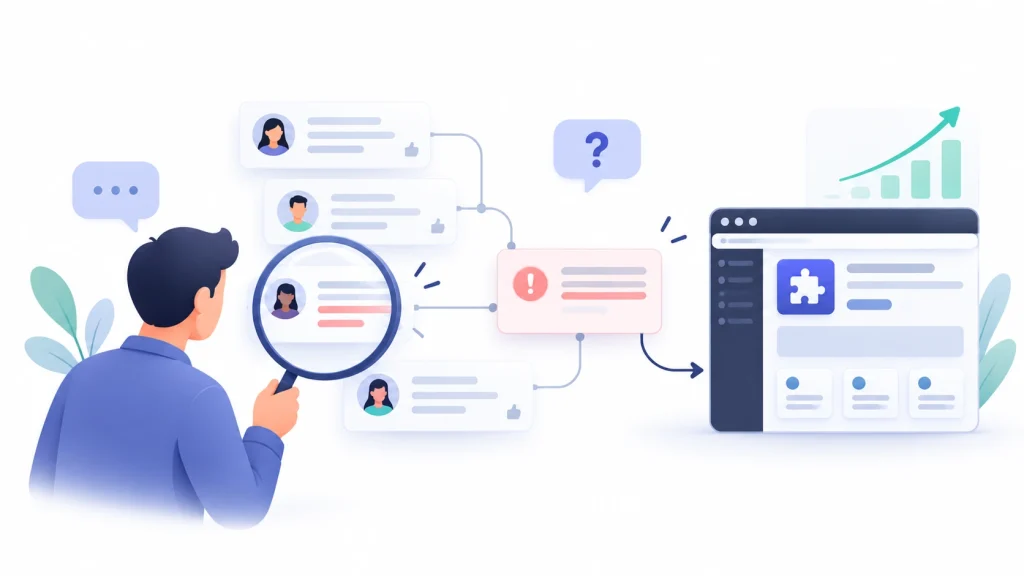
There’s a difference between building a plugin that sounds interesting and building one that helps someone get a frustrating task done.
For example, imagine you’ve developed a plugin called Smart Content Grid. It has customizable layouts, advanced filtering, responsive columns, and several styling options.
Those features may be useful, but a potential user may not care about any of them yet. They may simply want to know how to display a filterable portfolio on their WordPress website.
That’s the problem your marketing needs to address.
Instead of starting with a message like “Meet Smart Content Grid, a powerful new WordPress plugin,” start with something closer:
“Need to display a filterable portfolio on your WordPress site? Here’s a simpler way to build one without writing custom code.”
The second message connects the product to an existing need.
How to validate the problem before promoting your plugin
Spend a few hours researching the conversations your target users are already having.
Search Google, Reddit, WordPress support forums, Facebook groups, and relevant developer communities for phrases such as:
- “How do I [solve a specific problem] in WordPress?”
- “Is there a plugin that can [perform a specific task]?”
- “Looking for an alternative to [existing solution].”
- “How can I do this without custom code?”
- “Does anyone know a plugin that supports [specific use case]?”
Look for repeated questions, workarounds, complaints about existing tools, and requests for features that current solutions handle poorly.
You don’t need to discover a completely new market. A small, underserved use case can be enough to get your first users.
According to a Reddit user in r/WordPress, their plugin began attracting downloads after they addressed a real database-performance problem, answered relevant technical questions, and published articles explaining the issue. The takeaway: useful content can help the right people discover a solution they already need.
The important lesson isn’t that every plugin should use content marketing. It’s that the product addressed a real need, and the developer found people who were already looking for help.
Your first 100 users are much easier to find when you know exactly what problem they’re trying to solve.
2. Optimize your WordPress.org listing for the words users actually search
Publishing your plugin on WordPress.org gives you a distribution channel. It doesn’t automatically guarantee that people searching for a solution will find it.
Your plugin listing needs to explain what the plugin does in language your intended users recognize.
A common mistake is choosing a product name that makes perfect sense to the developer but means very little to someone discovering it for the first time.
Less descriptive: Project Grid
More descriptive: Project Grid – Website Portfolio and Screenshot Grid for WordPress
The brand name can still be part of your listing, but the surrounding description should help users understand the product’s purpose.
In a Reddit thread in r/WordPress about plugin marketing, a developer promoting a visual plugin called Project Grid was encouraged to focus on phrases people may actually search for, such as website previews, browser mockups, and portfolio screenshot grids. It’s a useful reminder to describe the job your plugin does in the language potential users already use.
That advice makes sense beyond visual plugins.
Someone looking for an internal linking solution may search for “automatic internal links for WordPress.” Someone building a WooCommerce store may search for “WooCommerce product bundles.” They probably won’t search for a new plugin brand they haven’t heard of.
A practical directory optimization checklist
Plugin name and description: Make the purpose clear without stuffing every possible keyword into the name.
Short description: Explain the main problem it solves, who it’s for, and the most important benefit.
Detailed description: Lead with the use case, explain how the solution works, and describe the main features in context.
Tags: Choose relevant tags that accurately describe the plugin. WordPress.org’s detailed plugin guidelines prohibit keyword stuffing and identify using more than five tags as potentially spammy behavior.
Installation instructions: Explain how users can install and configure the plugin without unnecessary friction.
Screenshots: Demonstrate the actual result, not just the settings panel.
The WordPress Plugin Handbook explains how the readme.txt file controls the public-facing information on a plugin’s directory page. It also documents how to add screenshots and captions through the plugin’s assets and readme configuration. See the official guides for plugin readmes and plugin assets.
One caution: don’t treat directory SEO as a one-time task. Review the language customers use in support questions, community discussions, and feedback. Those words can reveal better ways to describe your product.
For more context on how tools get discovered, see our guide to WordPress plugin discovery trends.
3. Show the outcome instead of listing features
People should be able to understand what your plugin does before they commit to installing it.
A long list of features isn’t always the best way to accomplish that. A screenshot, GIF, or short demonstration can often explain a product much faster.
Think about the difference between these two descriptions:
Feature-focused: “Advanced layout customization with responsive display options.”
Outcome-focused: “Turn a list of projects into a responsive portfolio grid in a few clicks.”
The first describes functionality. The second helps a potential user imagine the result.
This is especially important for visual plugins, page builders, WooCommerce extensions, popup builders, and other products whose benefits are easier to see than to explain.
Create one short demo before doing anything else
You don’t need an expensive promotional video to get started.
Create a 20–60 second demo that shows:
- The problem before using your plugin.
- The action or setup required.
- The result after using it.
- Where the viewer can find or install the plugin.
For example, a WooCommerce product bundle plugin can show a store owner selecting several products, creating a bundle, and viewing the finished offer on the storefront.
A portfolio plugin can show a basic page transformed into a polished project grid.
Keep the demo focused on one useful outcome. You can make additional videos for other use cases later.
Use the same demonstration on your plugin listing where appropriate, your website, YouTube, social posts, and relevant community discussions.
4. Find users in communities without being pushy
Reddit, Facebook groups, WordPress communities, and developer forums can help you find your first users. But they can also be places where promotional posts receive little attention or are removed.

The difference often comes down to how you participate.
Imagine someone asks: “How can I add product bundles to my WooCommerce store without manually creating separate products for every combination?”
You can reply with a bare plugin link and a claim that your product is the best solution.
Or you can explain the different approaches, their limitations, and how to choose one based on the store’s requirements. If your plugin genuinely fits the problem, you can mention it transparently where the community rules permit.
The second approach gives the person useful information even if they don’t install your plugin.
Use problem-first community research
Start by identifying three to five communities where your intended users already participate.
Depending on your plugin, those may include:
- r/WordPress
- r/WordPressPlugins
- r/ProWordPress
- Relevant WooCommerce or page-builder communities.
- Facebook groups for WordPress freelancers, developers, agencies, or store owners.
These are starting points, not permission to promote in every community. Check each community’s rules before sharing a product or link.
For the first couple of weeks, concentrate on learning. Read existing discussions, answer questions you can genuinely help with, and note recurring problems that match your plugin’s purpose.
You can also use Reddit search and mention-monitoring tools to find relevant conversations. Search for the problem itself, not just your plugin’s name.
For example, an internal linking plugin developer may monitor phrases such as “automatically link related posts,” “internal linking workflow,” and “content silo WordPress.”
What happens when you pitch instead of helping?
A recent discussion in a Reddit thread in r/WordPressPlugins illustrates the challenge. One developer reported emailing more than 150 blogs and YouTube channels without securing organic exposure from those channels. They said a post in the relevant subreddit was their only meaningful organic reach from those attempts.
That doesn’t prove community posts will always outperform outreach. It does show why generic pitches can struggle: they’re competing for attention without necessarily addressing an immediate need.
The goal isn’t to avoid ever mentioning your product. It’s to make sure your participation is useful and your recommendation is relevant.
Also, never manufacture discussions, post repetitive promotional links, or pretend to be an independent customer of your own product. Those shortcuts can damage trust and your brand.
5. Publish content around the problem, not only the plugin
Your plugin listing is only one place where potential users can discover your product.
Many people start with a problem-focused Google search, read a tutorial, compare several solutions, and only then decide which plugin to install.
That creates an opportunity for a small but focused content strategy.
Suppose your plugin helps WooCommerce store owners create product bundles. Instead of publishing only an announcement about your plugin, you can create content such as:
- How to Create Product Bundles in WooCommerce
- WooCommerce Product Bundles vs. Frequently Bought Together Offers
- How to Increase Average Order Value With Product Bundling
- How to Create a Build-Your-Own Bundle in WooCommerce
- Common Product Bundling Mistakes and How to Avoid Them
Each article targets a different question or use case. Your plugin can appear naturally when it solves the problem discussed in the content.
The same approach works for almost any plugin category.
A backup plugin can publish guides about backup schedules, migration, and restoration. A form plugin can cover conditional forms, lead capture, and form conversion problems. An internal linking plugin can explain related-post links, content clusters, and internal linking workflows.
Start with three useful articles
You don’t need a large blog to begin.
Publish one tutorial explaining how to solve the core problem, one comparison article helping readers choose between approaches, and one use-case article demonstrating how your plugin handles a specific scenario.
Make each article genuinely useful on its own. Include screenshots, examples, and clear steps. Don’t force every reader toward a product page before answering their question.
Then add a relevant call to action for people who want to try the solution.
In a Reddit thread in r/WordPress about growing from zero to early active installations, one developer said SEO-focused blog posts about the problem their plugin solved helped bring attention to it. Another participant described reaching more than 600 active installations with a simple plugin and little direct promotion. These are individual experiences, but both reinforce the value of solving a clear problem and making the solution discoverable.
These are individual reports, not a reliable forecast for your product. Still, they illustrate why useful content and a well-matched solution can support organic discovery over time.
Don’t expect three articles to rank immediately. Treat them as the beginning of a content library that can grow as you learn more about the questions your users ask.
6. Contact a small number of agencies and potential users personally
Not every early user needs to come from search traffic.
If your plugin serves a specific type of business, you can often identify potential users directly.
- A performance plugin can be relevant to WordPress maintenance agencies.
- A WooCommerce product add-ons plugin can be relevant to stores selling customizable products.
- A portfolio plugin can help freelancers and web design agencies.
- A booking plugin can solve a problem for service businesses using WordPress.
The key is to contact people who are likely to have the problem, rather than building a huge list of random email addresses.
Start with 10–20 carefully selected prospects. Visit their websites, understand their workflows, and identify a specific reason your plugin can help.
Then send a short, personalized message. Explain the problem you noticed, why your plugin can be relevant, and invite them to see a brief demonstration or share feedback.
For example:
“Hi Sarah, I noticed your agency builds portfolio websites for creative businesses. We’re developing a WordPress plugin that helps display projects in a more interactive format. I thought it may be relevant to your workflow, especially for client portfolio pages. Would you be open to taking a look at a short demo?”
Make the invitation relevant and low-pressure. Respect recipients’ preferences and applicable email rules, and avoid mass emailing people who have no clear connection to the product.
Also, don’t treat a reply as the final goal. The useful signals are whether people recognize the problem, try the plugin, successfully use it, and continue using it.
Your early conversations can be valuable even when nobody installs immediately. They may reveal that your messaging is unclear, your audience is wrong, or the product needs one important improvement.
7. Make the first successful use almost effortless
Getting someone to install your plugin is only half the job.
Imagine that 100 people install your plugin, but most leave because setup is confusing, documentation is missing, or they can’t figure out how to achieve the advertised result.
You haven’t really built a healthy base of 100 users yet. You’ve created a discovery funnel with an activation problem.
For your first users, prioritize time to value: how quickly someone can experience the main benefit.
If your plugin creates a product grid, offer a simple starting point or sample configuration. If it adds checkout functionality, explain the required setup and how to test it. If it integrates with another plugin, clearly show the prerequisites before users get stuck.
Here are a few improvements worth considering:
A guided first step. Show users where to begin after activation.
A working example. Provide a sample configuration or demo page when it’s appropriate for the product.
Clear documentation. Answer setup questions before users need to contact support.
Useful error messages. Tell users what went wrong and how to fix it.
Responsive support. Help early users work through genuine problems, and use repeated questions to improve the product.
In a Reddit thread in r/WordPress about marketing Project Grid, one commenter suggested letting users create a sample grid, choose a style, and see the result quickly instead of making them navigate another layer of settings. It’s a good reminder that onboarding is part of marketing: people are more likely to trust a plugin when the actual experience delivers on the promise made by its listing.
Ask new users where they got stuck. Watch them complete the setup if they agree to a short onboarding session. Fix the biggest points of friction before spending more effort on acquiring visitors.
A few users who successfully achieve their goal can teach you more than a large number of installations with no feedback.
8. Turn early users into feedback, reviews, and word of mouth
Your first users aren’t just a number to reach. They’re an opportunity to understand what your product needs to become genuinely useful.
Once someone has installed the plugin and had enough time to experience its value, follow up with a short question.
For example:
“Thanks for trying the plugin. Were you able to accomplish what you needed? Was anything confusing or missing?”
Pay attention to the answers. You may discover that users love one feature but find another difficult to configure. You may also uncover a use case you hadn’t considered.
Fix recurring issues, update the documentation, and publish improvements that address real needs.
When a user has had a positive experience, you can also politely invite them to leave an honest review on the appropriate platform. Keep the request independent of any reward, discount, or special treatment. Never ask users to manufacture ratings or pressure them into leaving a positive rating.
Reviews can help prospective users understand what to expect, while useful support and reliable updates give existing users a reason to stay.
According to a Reddit user discussing early plugin installations in r/WordPress, participating in relevant forums helped bring downloads and positive reviews. They felt those early signals helped their plugin gain visibility in search results, though this is one developer’s experience—not proof that a particular review or interaction directly improves rankings.
The wider lesson is more dependable: users who receive real value can become advocates, recommend the plugin to colleagues, and help you understand where to improve it.
Don’t build a review-generation strategy around incentives. Build a product experience worth reviewing.
9. Explore partnerships, reviews, and WordPress events
Once your plugin has a clear value proposition, a reliable demo, and a few satisfied users, start expanding beyond your own channels.
You don’t have to wait until you have thousands of installations.
Look for WordPress blogs that publish relevant tutorials, comparison articles, or plugin roundups. Identify YouTube creators whose audiences use your category of product. Reach out to agencies that work with your target customers.
Offer a useful reason for them to consider your plugin: a demonstration, a relevant tutorial topic, a guest contribution, access to a test environment, or an opportunity to try the product independently.
Don’t assume every mention requires paid placement. At the same time, recognize that some publishers charge for sponsored content or dedicated reviews. Evaluate the audience and likely value before spending money.
You can also consider WordCamps, local WordPress meetups, online workshops, and relevant developer events. A useful conversation with an agency owner or freelancer may lead to a real test of your plugin.
For commercial plugins, a limited-time deal or launch promotion may help generate early sales and feedback. In a Reddit thread in r/WordPressPlugins, developers discussed using relevant Facebook communities to introduce lifetime deals and gather feedback before expanding to broader marketing channels. This can work for some products, but evaluate success by the quality of adoption and feedback—not sales alone.
That approach is not necessary for every plugin, especially if your goal is organic adoption of a free tool. Discount-driven signups can also include people who never become regular users. Evaluate the results by activation, retention, support feedback, and genuine product fit—not just the number of purchases.
10. Measure the journey from discovery to regular use
If you want your first 100 users to lead to your next 1,000, track more than download counts.
You need to understand where people discover the plugin, what convinces them to try it, and whether they continue to get value from it.
Start with a simple tracking sheet.
| Metric | What it helps you understand |
|---|---|
| Plugin page visits | Whether people are discovering your listing |
| Downloads or installations | Whether interest is turning into trials |
| Successful first-use actions | Whether new users are reaching the main benefit |
| Support questions | Where setup or usability problems appear |
| Active installations or repeat usage | Whether adoption is lasting |
| Review and feedback themes | What builds trust and what needs improvement |
| Referral source | Which channels bring relevant users |
Use the available WordPress.org statistics alongside your own website analytics, support records, and privacy-appropriate product measurements. Don’t add invasive tracking just to improve a marketing dashboard.
Look at the numbers together.
If the plugin listing receives visitors but few people install it, revisit the title, description, screenshots, and fit between the promise and the product.
If people install but struggle to use it, improve onboarding and documentation.
If users succeed but don’t stick around, investigate whether the plugin solves a recurring need, whether the experience is reliable, and whether users understand the value of keeping it installed.
If one tutorial or community discussion attracts relevant visitors who actually activate the plugin, make more content around that problem and explore similar communities.
This is how early marketing becomes a repeatable process rather than a sequence of random promotional activities.
A practical 30-day plan to get your first WordPress plugin users
You don’t need to execute every marketing tactic at once. Here is a simple four-week plan to get moving.

Week 1: Fix the fundamentals
Review your plugin’s positioning and listing.
Identify the primary user, the main problem, and the most important outcome. Research the language users employ when discussing that problem. Rewrite the description where necessary, improve the screenshots, check the installation instructions, and test the onboarding experience.
Prepare one short demo that clearly shows the plugin working.
Goal: Make it easy for the right person to understand, trust, and try your plugin.
Week 2: Start helping in relevant communities
Identify three to five appropriate communities.
Read their rules, join relevant discussions, and answer questions with useful explanations. Find conversations that match your product’s use case and contribute without forcing your plugin into every reply.
Ask a few potential users for feedback on the demo or setup process. Record recurring questions and objections.
Goal: Understand the audience and earn attention by being useful.
Week 3: Publish helpful content and conduct targeted outreach
Publish one detailed tutorial addressing the main problem your plugin solves.
Add a relevant product link where it naturally helps the reader. Share the tutorial in appropriate channels when community rules permit, and turn the demo into a short video or social post.
Contact 10–20 carefully selected potential users, freelancers, or agencies with personalized messages. Invite feedback rather than asking everyone for an immediate purchase.
Goal: Create a few repeatable ways for relevant people to discover your solution.
Week 4: Learn, improve, and repeat
Review the results from your listing, content, community participation, and outreach.
Which channel generated relevant interest? Did anyone install the plugin? Were they able to complete the main task? What questions did they ask?
Fix the most important usability issues, improve the documentation, and follow up with early users. Invite honest reviews from people who have genuinely tried the product, without offering an incentive in exchange.
Then repeat the activities that produced the most useful signals.
Goal: Identify one or two channels worth investing in over the following month.
Thirty days is a starting sprint, not a guarantee of reaching 100 users. Some plugins may gain traction sooner; others need more time to refine their positioning, product, and distribution.
The key is to learn something useful every week rather than waiting for organic growth to magically appear.
Summing up: Your first 100 users come from solving real problems
Getting your first 100 WordPress plugin users can feel harder than building the plugin itself.
You may not have a marketing budget, a large audience, or established relationships with WordPress influencers. That’s fine. You can begin by understanding a specific problem, creating a useful solution, and making that solution easier to discover.
Optimize your WordPress.org listing. Show the outcome with a short demo. Help people in the communities where they already ask questions. Publish content that answers their problems. Talk directly to relevant potential users. Make the first successful use as easy as possible, and pay attention to feedback from every person who tries your plugin.
You don’t need to do everything at once.
Start with one audience, one clear use case, and a handful of practical marketing experiments. Track what brings relevant users, improve what prevents them from succeeding, and invest more effort in what works.
Your first 100 users may not arrive in a week. But every useful interaction can help you understand your market, improve the product, and build a stronger foundation for long-term growth.
The goal isn’t simply to convince 100 people to install your plugin. It’s to find 100 people who have a good reason to use it.
Frequently Asked Questions
How long does it take to get the first 100 users for a WordPress plugin?
There is no universal timeline. A plugin that solves an urgent, specific problem for an identifiable audience may gain traction quickly, while a tool in a crowded category may take months or longer. Focus on product-market fit, relevant discovery, onboarding, and retention rather than a fixed deadline.
Is WordPress.org enough to get your first 100 users?
It can be enough for some plugins, particularly those that solve a clear problem and match what users search for. But relying on the directory alone limits your other opportunities for discovery. Relevant content, community participation, partnerships, and direct conversations can complement it.
Should you launch on Product Hunt or AppSumo?
These platforms may suit some products, particularly commercial plugins with a strong demonstration and a clear offer. They are not mandatory for early growth. Validate the product with relevant users first, and evaluate any launch by the quality of adoption and customer feedback—not just initial exposure or sales.
How can you promote a WordPress plugin on Reddit?
Find discussions that match the problem your plugin solves. Provide useful answers, respect each subreddit’s rules, and mention your plugin only when it is relevant and permitted. Be transparent about your connection to the product and avoid repetitive promotional posts.
Should you offer free licenses in exchange for reviews?
It’s better to separate product access from review requests. You can invite relevant people to test the plugin and ask users for honest feedback after they’ve used it. Do not make a free license, discount, or special treatment conditional on leaving a review or giving a positive rating.
What should you prioritize: more features or more marketing?
Look at feedback from existing users. If people understand the product, install it, and repeatedly request a missing capability, improving the product may be the best next step. If the product already works well but very few relevant people discover it, prioritize distribution, positioning, and useful demonstrations.